
You don’t need a film crew to make videos that help your business get noticed. Learning how to get started with video marketing on a small budget starts with a clear goal, a manageable test budget and a plan you can stick to, not expensive gear.
It’s understandable to wonder how much to spend, especially when marketing already competes with the daily costs of running a business. Start with one useful idea: a local tradie could film a quick walkthrough explaining what to expect before a job, using a smartphone and natural light. The value comes from answering a real customer question, not from making a polished production.
This guide will help you set a practical video budget, choose accessible equipment and decide when professional production may make sense. You’ll also learn how to pick a platform, plan consistent posts and measure whether your videos support your business goals. No complicated setup, just a clear way to start, learn from the results and build from there.
Key Takeaways
- Set a modest test budget, then judge video ideas by whether they support a clear business goal.
- Start with your smartphone, good natural light and clear audio before investing in extra equipment.
- Use customer stories, explainers or short-form videos to match the message to the job it needs to do.
- Choose a platform your customers use, publish consistently and review the results before expanding.
- Connect video with your website, Search Engine Optimisation and Meta Ads to support a joined-up marketing plan.
1. How much should a small business spend on video marketing?
Start with a test budget, not a production wish list. A practical starting point is to allocate 5 to 10% of your marketing budget to video, then review what performs. Treat that percentage as a guide, not a fixed rule. Your available time, audience and marketing goals should shape the amount you commit.
Start with one customer question and one video style. For example, a plumber could film a short explanation of what happens during a hot-water-system replacement. Then test a testimonial, a behind-the-scenes clip and a simple how-to video on social media. Keep the audience and message consistent so you can compare which format helps generate enquiries.
Customer testimonials can be a smart first format because they show someone describing a real experience. Ask a satisfied customer to explain the problem they faced, what they chose and what changed afterwards. Keep your prompts focused rather than scripting their words. A specific example is more useful than polished praise without detail.
User-generated video can build on that approach: customers share their own experiences, and you get permission before reposting. A phone recording can feel natural on Facebook or another social platform, as long as the story is relevant and easy to follow. Test different openings and captions, then keep the version viewers watch and respond to.
In Australia, clearly disclose any paid, gifted or otherwise incentivised customer endorsement so viewers can recognise its commercial connection. Use footage, music and images you created, licensed or have permission to use. Get the customer’s consent before publishing an identifiable video of them.
Measure results against the video’s purpose, not views alone. Track views, completion rates and click-through rates for each version, then compare them with enquiries or bookings where possible. For example, a testimonial with fewer views but more service-page clicks may be a better fit for generating leads.
Set a review date before filming. After a small batch of videos, compare the topics, formats and audience responses. Keep the strongest combination and adjust your next test. This simple process keeps the focus on business value, not production gloss.
2. Recording with accessible equipment
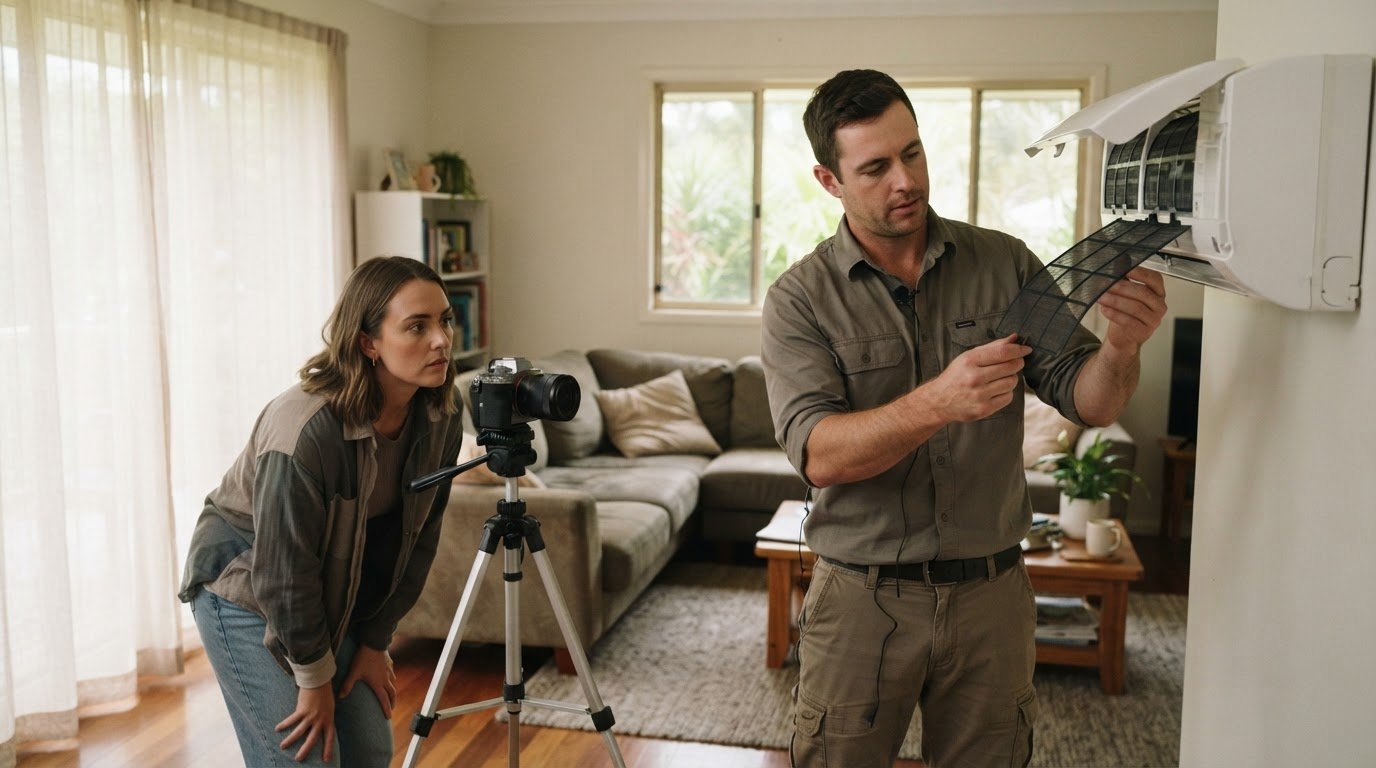
Your first video setup can be simple: a smartphone, stable support, clear sound and light on your subject. Smartphones, point-and-shoot cameras and DSLRs can record HD video, so try a camera you already know before buying another. For example, an electrician could film a short switchboard safety explainer at a tidy worksite. The useful detail is a clear demonstration, not a new camera body.
Steady footage is easier to watch. Rest your phone on a firm surface or use a tripod, especially for demonstrations where you need both hands. Keep the lens at eye level for a direct-to-camera explanation. For a wide shot of a work area, leave room around the subject rather than crowding the frame. Record a short test clip and check the framing before filming the full take.
Good light and sound help basic equipment go further. Face a window during the day, with the natural light in front of you rather than behind your head. Choose a quiet room or sheltered spot, away from fans, traffic and machinery. Move the phone closer when speaking, because its built-in microphone may not capture distant speech clearly. Listen to the test recording with headphones before filming the full message.
Match the format to where your audience will watch. Record phone footage in landscape for a website or YouTube video, and use vertical framing for an Instagram Story. Keep the camera steady and speak towards the lens. If you’re recording a laptop presentation, raise the built-in camera to eye level using a stable stack of books. A quick framing check can prevent an unflattering upward angle.
For software walkthroughs, screen-recording software can show each click without filming a monitor. Close unrelated windows first, enlarge the text and move the cursor deliberately. A small business could record how to submit an online booking enquiry, then add a spoken explanation. Keep customer details off screen, and practise the steps before recording to avoid exposing private information.
Build a repeatable kit from what you already have: a phone, tripod or stable support, headphones for playback, and a quiet, well-lit location. Add a separate microphone or light only when a test reveals a specific problem. Record two takes, compare their sound and focus, then use the clearer one. This keeps production practical while giving viewers useful information worth watching.
3. Can a small business afford professional video production?
Professional production can make sense when a video has a clear purpose and lasting value. Knowing how to get started with video marketing on a small budget means matching production to the video’s purpose, not defaulting to the most polished option. A brand video introducing your team, process and service may support your website and sales conversations over time. Start by defining the audience, message and action you want viewers to take.
Should small businesses make videos in-house or hire a freelancer? Make straightforward, frequent videos in-house if your team can record and edit them consistently. A freelancer can help when a project needs stronger storytelling, several locations, polished sound or a carefully planned brand look.
Choose the format around the question your audience needs answered. A short explainer should tackle one question or solve one small problem, such as showing how a booking process works. Explainer videos and tutorials can run for 2-3 minutes when the subject needs a clear demonstration. A talking-head video works for advice or introductions, while screen recording suits software instructions.
Short-form content has a different role. A concise clip can share one practical tip, introduce a staff member or point viewers towards a longer explanation. For instance, a landscaping business could film a quick garden walkthrough, then explain one decision behind the finished design. Keep each clip focused so viewers can connect its message with your service.
Testimonials and case studies offer another production option. A customer story can show the initial challenge, the work completed and the outcome, giving potential customers useful context. Ask clear, open questions and let the customer speak naturally. If the footage will appear across your website and social channels, plan the framing and sound for those placements before filming.
If you’re considering how to get started with video marketing on a small budget, prepare a concise brief before hiring a freelancer. Include the audience, key message, intended platform, essential scenes and brand guidelines. For example, a trades business might request a customer interview and a sequence showing the team at work. A clear scope helps keep production focused and avoid unnecessary reshoots.
A successful professional video isn’t measured by polish alone. Decide whether its purpose is to explain a service, build trust or encourage enquiries, then review relevant responses after publishing. In-house video can suit regular updates, while a freelancer may be a better fit for a detailed customer case study. Match the production approach to the video’s purpose and reuse suitable footage thoughtfully.
4. Choosing a platform and posting consistently for 90 days
Pick a platform your customers already use, not simply the one you enjoy. A practical way to learn how to get started with video marketing on a small budget is to choose one primary channel for a 90-day test. A trades business might focus on Instagram if customers engage with visual project updates, while a consultant may favour LinkedIn for professional advice. Use audience responses to guide your next move.
Set a clear goal before filming: awareness, enquiries, bookings or email subscribers. For example, an Australian home services business could use short videos to answer common maintenance questions, then track whether viewers visit its booking page. A defined action gives each video a purpose and makes results easier to assess.
Plan one video each week for 90 days. A simple calendar can alternate between a customer question, a practical tip, a behind-the-scenes look and a service explanation. Short-form social videos of 30 to 90 seconds suit Instagram Reels, YouTube Shorts and Facebook. Adapt framing and captions to each platform rather than posting identical files everywhere.
How do you plan and script effective short marketing videos? Start with one viewer problem, open with the answer or a compelling detail, explain one useful point, then finish with a clear action. For example, an electrician could explain one sign that a switchboard needs attention and invite viewers to arrange an inspection.
Use a brief script, not a word-for-word performance. Write a hook, a few key points and a closing line; rehearse once, then record naturally. Add captions for viewers watching without sound. Keep each clip focused on one topic so viewers can understand the message on its own.
Publishing is only the first step. Share the video through your website, email newsletter and social media feeds, then note views, completion rates, clicks and enquiries. A useful small-business marketing strategy connects each video to the next action, rather than treating every post as a standalone event.
For a business deciding how to get started with video marketing on a small budget, the 90-day review is a practical checkpoint. Compare topics, formats and platform results. Keep videos that attract relevant attention or prompt useful actions, and adjust weaker ideas. Expand to another platform only when your publishing routine and measurement process are working.
5. What equipment is needed to make marketing videos with a smartphone
Build your kit around how you use your phone, not a creator’s shopping list. A clamp-on phone grip with a wrist strap suits handheld walkthroughs through a workshop or showroom, keeping the device secure as you move. Choose a case that still gives you access to charging ports and buttons.
A Bluetooth shutter remote lets you start and stop recording without touching the screen. That’s useful for solo demonstrations where you need both hands, such as showing how a tool works. Check that the remote pairs with your phone before filming, and keep it nearby between takes so you can restart quickly.
For moving footage, a smartphone gimbal can help steady the frame as you walk. It may suit a property manager filming a guided inspection or a retailer showing a shop floor. Practise the movement first and keep the route clear. A slow, deliberate walk gives viewers time to follow what the camera shows.
Plan how to move finished clips off your phone. A compatible external drive or secure cloud storage account can help you organise footage by project. Create clearly named folders, such as “staff introductions” or “service demonstrations”. Check your phone’s connector and storage options before buying accessories, as compatibility varies by device.
Some smartphones support a small teleprompter setup using a second screen or an app. This can keep key points visible during a direct-to-camera explanation. Place the prompts close to the camera lens to maintain a natural eye line. Use brief cues rather than reading long paragraphs word for word.
Learn the camera controls already built into your phone before adding clip-on lenses. Tap the subject on screen to set focus, then adjust exposure if bright windows make faces too dark. Avoid digital zoom for close details, as moving the phone closer usually gives you a clearer view. Test the controls on a sample clip.
Choose accessories to solve recurring production problems. If you film walkthroughs often, a gimbal may be useful; if you record demonstrations alone, a remote shutter may help. A property walkthrough, for instance, might need both. Start with one accessory, test it on a real job, and add another only when it solves a practical issue.
PurpleCow Digital
PurpleCow Digital can help connect your video activity with the rest of your marketing, giving each piece a clear role. You might already be filming helpful tips, customer stories or service demonstrations, but still need a practical way to guide viewers from a video to an enquiry. That’s where your website, search visibility and promotion plan need to work together.
Website Design can give your videos a useful home. For example, a landscaping business could feature a garden transformation video on a relevant service page, alongside a clear explanation of its work and an enquiry pathway. Make the next step easy to find, whether someone wants to understand the service or discuss a project.
Search Engine Optimisation helps organise website content around the questions your customers ask. A video explaining how a service works can sit alongside useful written information, giving visitors more context on the page. We can help shape a wider search strategy around relevant topics, so video supports your website rather than sitting in isolation.
Website Maintenance matters once videos and supporting pages are live. Updated content, working page elements and a functioning enquiry path help keep the experience in good order. If a video moves, a service changes or a page needs updating, maintenance helps keep those details aligned with your current business information.
Meta Ads can give selected videos paid exposure to audiences you want to reach. A local service business might promote a short demonstration to people in its target area, then assess whether viewers watch, click or enquire. The campaign’s audience, creative and destination page all matter; paid promotion works best as part of a considered plan, not as a substitute for one.
The right mix depends on your goal, capacity and existing digital setup. If your website needs a better home for videos, start with relevant pages. If people struggle to find your services, consider how search content can support discovery. If you already have useful videos, paid promotion may help put them in front of a defined audience. Each choice should connect to a business outcome you can review.
We can help you bring these pieces into a practical digital marketing plan, without turning a small video test into an unnecessarily complex project. You can decide what support fits your priorities and what you’re ready to build next. Discuss your video marketing goals with PurpleCow Digital whenever you’re ready.
Frequently Asked Questions
How much should a small business spend on video marketing?
Set a spending limit that accounts for cash expenses and staff time. Include editing, software subscriptions, travel, and the hours spent preparing, filming and approving content. Keep a simple record for each video project so you can see where the effort goes, not just what you paid. If the workload crowds out customer service or billable work, simplify production before increasing your budget.
Which platform should a small business post video on?
Choose a platform that suits how people discover and evaluate your service. Check where customers already ask questions, read reviews or follow local businesses, then make sure your video works clearly there. Consider whether the platform makes it easy to guide interested viewers to a relevant service page. The right channel should suit both your audience’s habits and how your business handles enquiries.
Can a small business afford professional video production?
Professional production can be more cost-effective when one planned shoot creates useful material for several business needs. Before booking, define the main video and any extra footage or edits you’ll need for your website, sales presentations or social channels. Agree on the project scope, review process and permitted uses of the finished material. This helps you assess its value beyond a single published clip.
Do I need to appear on camera?
No, you don’t have to appear on screen for a video to explain your business. You could narrate close-up footage, record a voice message over a presentation, or use on-screen text to guide viewers through a process. Choose an approach that keeps the information clear and sounds natural. A short practice recording can help you find a comfortable pace before publishing.
How long should my videos be?
Give the video enough time to answer its intended question, then remove anything that doesn’t help. A simple update may need little explanation, while a detailed process needs enough context for viewers to follow safely and accurately. Read your script aloud and cut repeated points or long introductions. The finished video should feel complete, not stretched to an arbitrary duration.
What type of video works best for small businesses?
Choose a format that addresses the customer’s next decision. Someone comparing services may need a clear explanation of what’s included, while a person ready to enquire may value details about preparation or what happens next. Start by mapping common customer questions to the stage when they arise. That makes each video relevant to a real decision, not just another post.
How do I create a video marketing strategy for a small business on a low budget?
Build a compact planning sheet before recording. For each video, note the customer question, the key point to explain, any proof or examples needed, the person responsible and the intended next step. This keeps preparation focused and makes approvals easier. After publishing, record what customers ask about the video or mention in enquiries. Those observations can inform future topics without paid research.
What are the best free or low-cost video editing apps for small businesses?
Choose an editor your team can learn and use without slowing production. Start with the editing tools already available on your phone or computer, then test whether they handle trimming, text, captions and exporting in your chosen format. Check storage access and export quality before settling on a workflow. Keep an original copy of each recording so you can revise edits later without filming again.

Article by
Angie Neal
Angie Neal is the founder and CEO of PurpleCow Digital, a full-service digital marketing agency based on Queensland's Redcliffe Peninsula. With deep expertise in SEO and web design, as well as a certification as a GoHighLevel Admin. Angie helps small-to-medium businesses build scalable growth systems through AI-powered automations, CRM workflows, and smart digital strategy. She's also passionate about building a community of like-minded agency owners at the After Party — sharing insights, solving real problems, and helping others grow. Whether it's search visibility, lead management, or end-to-end automation — Angie's focus is always on helping businesses scale sustainably.
Disclaimer
This page may contain affiliate links. If you sign up for software through our links, we may earn a commission at no extra cost to you. We only recommend tools we use and trust – software that is the backbone of our agency.