

Your marketing workload shouldn’t keep you from the work that grows your business. If you’re wondering how to get more hours back in your day with marketing automation, start with the repetitive tasks that interrupt your day: following up on enquiries, sending reminders and keeping in touch with past customers.
It makes sense to want more time without letting leads or customer relationships slip. Marketing automation can handle routine steps while keeping communication timely and personal. For example, after you send a quote, an automated reminder can prompt a follow-up if the customer hasn’t replied.
This guide covers five practical areas to automate, from lead notifications and welcome emails to social media scheduling. You’ll see how each can reduce manual work, what a simple workflow looks like, and signs your business may be ready for automation. The goal isn’t to automate everything. It’s to spend less time repeating tasks and more time delivering great work and growing your business.
Key Takeaways
- Segment customers by where they are in their journey so routine updates feel relevant and leave you more time for personal service.
- Connect lead forms to your CRM so new enquiries are captured, tagged and routed for timely follow-up.
- Use welcome emails and behaviour-based follow-ups to guide prospects, while abandoned-cart reminders can prompt shoppers to return.
- Batch social content and schedule it ahead to promote offers without interrupting your working day.
- Look for repeated manual tasks, missed follow-ups and growing lead volumes as signs that a practical automation workflow could help.
1. Marketing automation and customer segmentation
Marketing automation works best when each workflow responds to a clear customer action. Customer segmentation groups people by useful details, such as whether they’re a new enquiry, an active customer or someone who recently completed a job. Software can then send relevant emails automatically, leaving you less time to sort contacts and more time to build relationships.
For example, a plumbing business could tag customers by service type and job status. When a job is marked complete, an automated message can thank the customer and share relevant care information. A separate support workflow can acknowledge an enquiry, explain when the team will respond and direct urgent issues to the right person. Automation handles routine communication, while staff manage complex or sensitive conversations.
Post-sale emails can keep the relationship active without relying on someone to remember every follow-up. A workflow might send a thank-you after purchase, then request feedback or a review seven days after delivery or the service date. A useful segmentation rule is to send each message only to customers for whom it’s relevant. That helps keep emails personal, rather than making every customer feel like a name on a list.
Past-customer check-ins can also run quarterly, or every 90 days, to share a helpful update or ask whether circumstances have changed. For a trades business, that could mean checking in with a customer who previously booked maintenance. Keep the message specific to their past service, and give them a clear way to opt out of marketing emails.
In Australia, commercial email and SMS workflows need to account for the Spam Act’s requirements for consent, sender identification and unsubscribe options. The Privacy Act also applies to handling personal information, so build processes around responsible collection, use and security.
Marketing automation software costs vary by platform, contact volume, features and billing plan. Compare the plan’s Australian-dollar price and check whether GST is included before budgeting. The right option depends on the workflows your business needs.
Automation carries risks when customer data or message timing is poorly managed. Generic emails can feel irrelevant, while inaccurate addresses or excessive messages can affect deliverability. Limit access to customer information, keep contact records accurate and test each workflow before activation. Review replies and unsubscribe requests, too. A quarterly check-in should feel like a useful follow-up, not an excuse to send another generic promotion.
2. Automated lead notifications and CRM tagging
A web enquiry is only useful if it reaches the right person and receives timely attention. Connect your contact form to a customer relationship management system (CRM), which stores lead details and tracks each opportunity. When an enquiry arrives, the workflow can create a contact record, apply tags for service type or location, and notify the sales team. For example, an electrician could route commercial enquiries to one staff member and residential requests to another.
Set the notification to arrive promptly. One suggested workflow sends the business owner a text within 60 seconds after someone submits a contact form. The message can include the lead’s name, preferred service and contact details, so the next step is clear. A CRM can also assign leads by category or availability, helping prevent a promising enquiry from sitting unnoticed in a shared inbox.
Follow-up workflows keep the pipeline moving without relying on memory. After sending a quote, schedule a reminder for three days later if the lead hasn’t responded. The CRM can then record the contact attempt and update the lead’s status. In one B2B service-provider example, 30% of leads had received no follow-up before CRM automation. After implementation, the follow-up rate rose from 70% to 100%.
Tags also make nurturing more relevant. A lead who downloads a maintenance guide may need different information from someone who requests a site visit. Build a campaign that sends useful, timely content based on the person’s enquiry or activity, then pauses when they reply or book. Lead scoring can rank contacts using actions such as website visits, downloads and email engagement. This gives the sales team a clearer view of who may be ready for a conversation.
Useful workflows connect lead capture, CRM tagging, nurturing and appointment booking. For example, a form submission can create and assign a lead, send an acknowledgement, offer a booking option and notify the relevant team member. Once an appointment is booked, the CRM can update the lead record and trigger reminders.
For Australian businesses exploring CRM workflows, GoHighLevel in Australia can be part of a connected lead-management setup. The key is to define what happens at each stage, from first enquiry to booked appointment, before automating the sequence.
3. Automated welcome email sequences
If you’re wondering how to get more hours back in your day with marketing automation, start with a welcome sequence for routine emails. A CRM can record a new subscriber while an email platform sends a useful introduction. Connector tools pass details between systems, reducing repeated data entry. For example, a gardening business could welcome subscribers with service information, then follow up with seasonal advice.
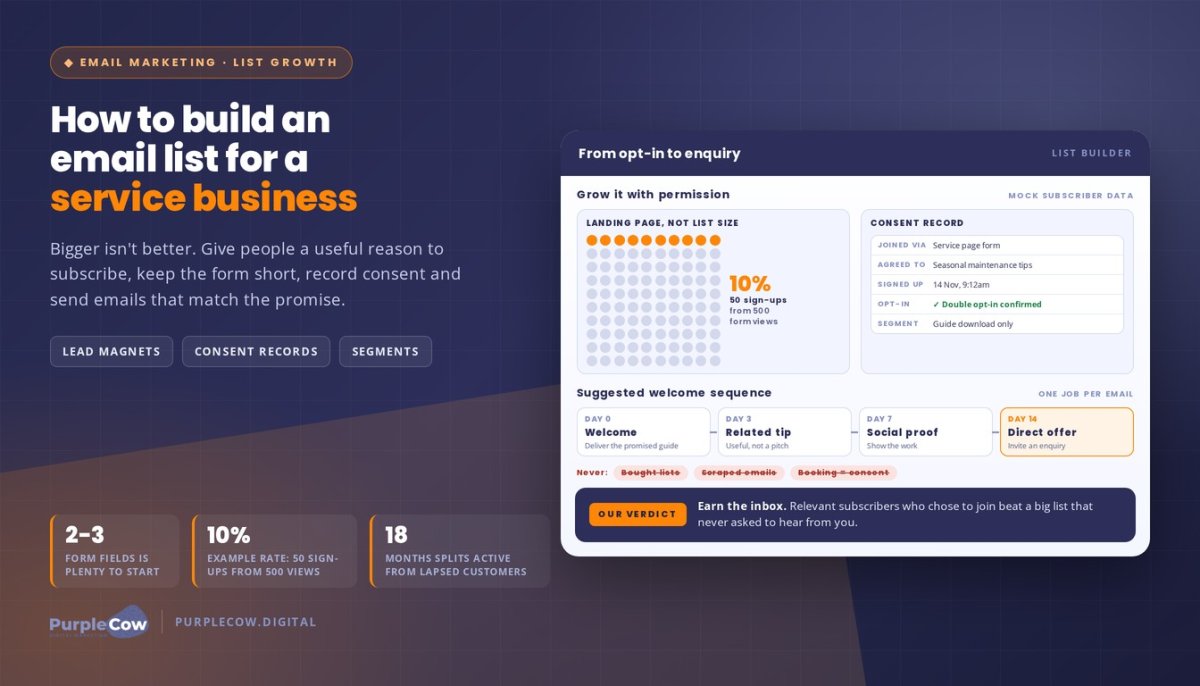
Give each message a purpose and a clear next step. One sequence could send its first email within an hour of a form submission, then follow up two days later. A third message four days after that might invite the prospect to book a call. If they respond or book, pause the remaining emails so the sequence reflects their actions.
There’s no single best automation tool for every Australian small business. Choose based on the tasks you need handled, such as email sequences, CRM records, SMS reminders, appointment scheduling or connections between apps. Compare ease of use, integrations and reporting. Check Australian-dollar pricing, GST and any contact-volume limits before choosing a platform.
Automated outreach can keep a conversation moving when a prospect hasn’t replied. For instance, after an initial enquiry, a business could send a relevant case study and schedule a later follow-up. Set clear stopping rules, such as pausing messages after a reply, booking or unsubscribe request. This keeps the workflow organised and leaves staff free to handle conversations that need a personal response.
Online stores can use abandoned-cart emails to remind shoppers about products they left behind. A sequence might send reminders after one hour, 24 hours and 72 hours. Keep each message relevant to the shopper’s cart, and stop the sequence after purchase. That way, a recovery email doesn’t arrive after the customer has already completed the order.
Start with one recurring task, such as welcoming subscribers or confirming a booking. Connect the form, CRM and email platform, then test the trigger, message and stopping rules. Review the workflow’s results and the time spent maintaining it. Add other sequences only when the first works reliably and gives customers a clear next step.
A welcome flow can extend beyond its initial introduction: send the first email within an hour of form submission, schedule the second email Two days after the first, and add a follow-up for Day 6. Marketing teams can automate welcome emails, drip campaigns and follow-ups based on user behaviour, so later messages can reflect what a subscriber does. Keep the purpose of each message clear, and make sure the sequence still pauses when a person replies or takes the next step.
For cart recovery, reminders can be scheduled one hour, 24 hours and 72 hours after cart abandonment, with the sequence ending after purchase. Don’t assume automated outreach and follow-up emails will increase the response rate by 250%. Treat timely, relevant follow-ups as a starting point, not a reason to send more messages indiscriminately. Review whether each email gives the recipient a useful next action, and adjust the workflow when customer responses show that a message is poorly timed or no longer needed.
4. Automating social media scheduling and content promotion
Posting whenever you find a spare moment makes social media harder to manage. Batch a month of content at a time, then schedule posts across your chosen channels. A café, for example, could prepare posts about seasonal menu items, customer favourites and upcoming deals in one planning session. Scheduling keeps promotions moving while you focus on serving customers.
Build each batch around a clear calendar. Include the post date, platform, creative asset, caption and destination link. For an online store, a deal post should point directly to the relevant product or promotion page, not just the homepage. Check that offer dates and product details match before scheduling. This small step helps prevent an old discount or unavailable item appearing in a new post.
A useful starting rhythm is publishing at least three times a week, then reviewing what your audience responds to. A scheduling tool can queue approved posts and publish them automatically, while a team member handles comments and customer questions. Automating social media content and ad posting can save more than 6 hours a week on network management. Use that time for customer service, content planning or work that needs your judgement.
Keep posts varied. A small retailer might rotate product demonstrations, answers to common questions and a promotion for a current deal page. Repurpose one useful piece of content into several formats, but adapt the caption and creative for each platform. A repeated message can still feel relevant when the example, image or call to action changes.
Social media scheduling and appointment scheduling solve different problems, but both can reduce manual admin. For example, a service business can schedule a week of posts and use its booking system to send a text reminder one hour before a booked call. Keep booking availability current so a post never directs people to an outdated appointment slot.
Track results by campaign rather than counting posts alone. Compare clicks to the deal page, enquiries and bookings, then use those signals to plan the next month’s content. A small-business marketing strategy can help connect social posts with broader business goals. Keep the workflow practical: plan, approve, schedule, monitor and refine.
Treat a month of planned posts as a working queue, not a reason to stop checking in. Before publishing, review upcoming items for timely references, confirm each asset and caption are ready, and leave room to respond to customer questions. A brief check can help catch gaps before content goes live.
Keep the publishing pace at least three times a week, using audience responses to guide what comes next. When a format works well for your goals, adapt its approach rather than simply duplicating the same post. This keeps the workflow consistent without making every update feel identical.
5. Signs a business may need marketing automation
Repeated admin is a clear signal when it interrupts customer work. To see how to get more hours back in your day with marketing automation, track recurring tasks across a typical week. Note which tasks follow the same steps, who handles them and where delays occur. For example, record each time staff copy details from an enquiry form into a spreadsheet.
Growing lead volumes can expose gaps in manual processes. As a hypothetical example, a B2B service provider managing 50-100 leads per month manually may find it difficult to keep every enquiry, conversation and next step in mind. A central lead record can make ownership visible and show which opportunities need attention.
Missed messages are another warning sign. Picture a trades business whose owner is on-site while new enquiries arrive through its website and social channels. If no one can see which message needs a reply, leads may wait unnecessarily. A simple intake process—such as the workflows set up by Growth Local for Australian service businesses—can gather those messages, record their source and make the next action clear.
Look for repeated hand-offs that depend on memory. A staff member might finish a customer call, then need to update a spreadsheet, notify a colleague and create a reminder. If a step is often missed, map the sequence and identify a clear trigger for each action. Automate predictable admin, while leaving judgement-based customer conversations to your team.
Measure the problem before choosing a solution. For example, log how often enquiries are duplicated, follow-ups are delayed or staff search for customer details. Compare those observations with the outcome you want, such as a complete lead record or a more consistent hand-off. A workflow is worth considering when it addresses a specific bottleneck rather than adding another task to manage.
Automation won’t fix an unclear offer or an uncertain next step. If customers can’t tell what a service includes or how to enquire, an automated message may repeat that confusion. Clarify the customer journey first, then select one repetitive task with a defined start and finish. This helps keep the process useful rather than simply making it faster.
Consider automation when recurring manual tasks pull you away from customers, delivery or sales. Choose one process, assign an owner and decide what success looks like before changing it. Review whether the workflow reduces avoidable admin and keeps the customer experience clear. If the task needs a person’s judgement at every step, improve the process before automating it.
PurpleCow Digital: Automations
PurpleCow Digital’s Automations offering helps connect repetitive marketing steps, so routine follow-ups don’t depend on someone remembering every task. We start with the process, not the software: what triggers an action, what should happen next, and where a person needs to step in. That keeps automation focused on real business needs.
Consider a service business receiving enquiries through its website. A practical workflow could record the enquiry, send an acknowledgement, notify the right team member and create a follow-up task. If the person books a call, the workflow can update their status and stop unnecessary follow-up messages. The business owner still handles the conversation; the system takes care of predictable admin around it.
Automation may be worth considering when a task happens repeatedly, follows clear rules and is easy to forget during a busy day. Examples include sending booking reminders, routing new enquiries, recording customer details or scheduling a post-service follow-up. If a process changes each time or requires careful judgement, keep a person involved rather than forcing it into a rigid workflow.
We can help map the current steps, identify avoidable manual hand-offs and shape an automation around your existing process. For example, if staff copy the same enquiry details into separate systems, a connected workflow may reduce duplicate entry. If reminders are often missed, a scheduled message can prompt the next step. The exact design depends on the tools you use, the information each workflow needs and the experience you want customers to have.
Good automation also needs clear ownership and regular review. Decide who checks workflow messages, handles replies and updates the process when your services change. A booking workflow, for instance, should reflect current appointment options and send customers to the right next step. Test the full journey before launch, from the first enquiry through to the final notification.
Automation isn’t about removing the personal side of your business. It’s about reducing repetitive work so your team can focus on useful conversations, service delivery and decisions that need human attention. If you’re ready to explore a practical workflow for your business, talk with PurpleCow Digital.
Frequently Asked Questions
How many hours can marketing automation save per week, according to studies or case studies?
There isn’t one dependable weekly figure that applies to every business. The time saved depends on how often a task occurs, how long it takes manually and how much of its process can be automated. To estimate your own result, record time spent on recurring marketing tasks before and after introducing a workflow. Separate setup and review time from the routine work the automation replaces.
How can AI and automation help schedule and repurpose social media content?
AI can help draft variations of approved content, while scheduling tools queue posts for selected platforms and dates. Treat AI output as a starting point: check accuracy, brand voice, offers and links before publishing. A practical repurposing example is turning one blog post into three social posts, a YouTube script, a Pinterest pin and an email snippet. Adapt each version to its channel rather than publishing identical copy everywhere.
How can I measure whether marketing automation is saving time and improving conversions?
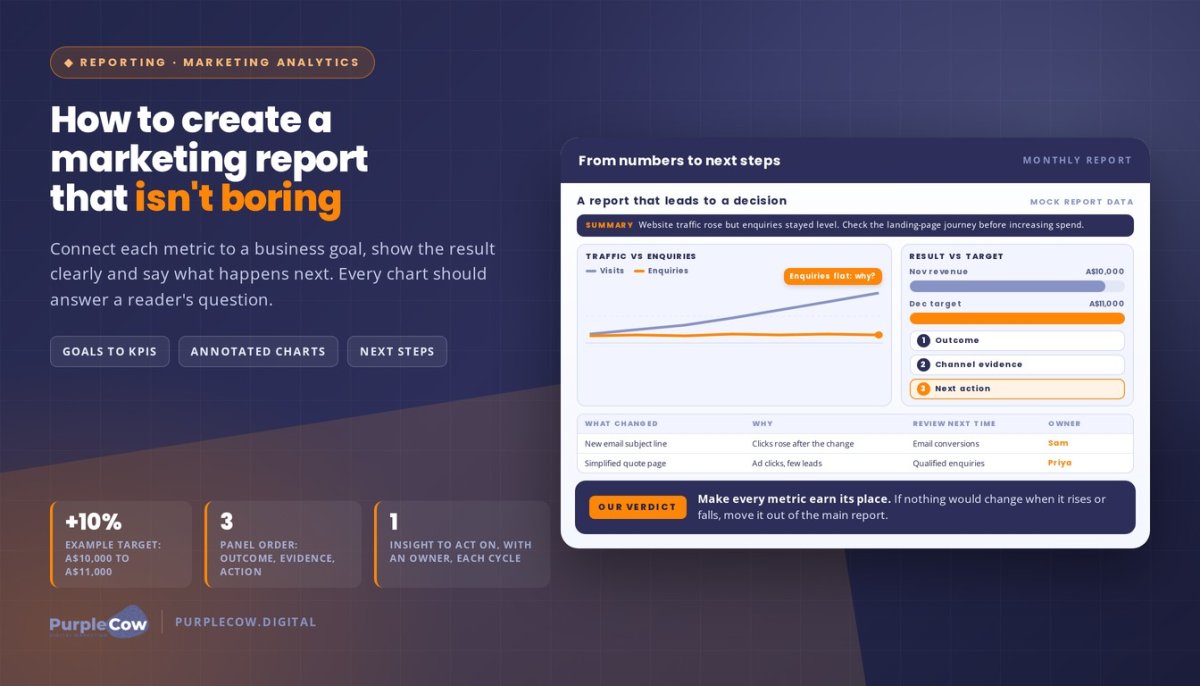
Track staff time and business outcomes together. Before launch, record the hours spent on the task, then compare that with the time needed to monitor the workflow. Also measure relevant stages, such as enquiries received, qualified leads, booked appointments and completed sales. Use consistent date ranges and lead definitions, and compare similar campaigns. If time falls but qualified enquiries do too, review the workflow’s targeting and message.

Article by
Angie Neal
Angie Neal is the founder and CEO of PurpleCow Digital, a full-service digital marketing agency based on Queensland's Redcliffe Peninsula. With deep expertise in SEO and web design, as well as a certification as a GoHighLevel Admin. Angie helps small-to-medium businesses build scalable growth systems through AI-powered automations, CRM workflows, and smart digital strategy. She's also passionate about building a community of like-minded agency owners at the After Party — sharing insights, solving real problems, and helping others grow. Whether it's search visibility, lead management, or end-to-end automation — Angie's focus is always on helping businesses scale sustainably.
Disclaimer
This page may contain affiliate links. If you sign up for software through our links, we may earn a commission at no extra cost to you. We only recommend tools we use and trust – software that is the backbone of our agency.