

What if asking for customer feedback didn’t feel like begging for a favour, but the natural conclusion to brilliant service? If you dread chasing clients, you aren’t alone; nobody wants to sound desperate or salesy. Learning how to ask for a google review without being pushy starts with realising that great requests focus on customer care, not your own ego.
BrightLocal research shows 97% of consumers read online reviews when evaluating local businesses, yet happy clients often forget the moment they walk away. At PurpleCow Digital, we know building trust shouldn’t involve awkward conversations or endless manual follow-ups on your Google Business Profile.
In this guide, you’ll discover practical timing strategies, word-for-word conversational scripts for text and email, and simple automation to earn glowing reviews naturally. We’ll show you how to turn positive project handovers into steady results that help your business stand out.
Key Takeaways
- Reframe the conversation: Asking for feedback is not begging for a favour; it helps prospective clients make confident, informed decisions based on genuine experiences.
- Strike at the peak moment: Request feedback the moment a client expresses real delight with your work, rather than waiting days until their enthusiasm cools down.
- Follow a structured process: Discover how to ask for a google review without being pushy by confirming client satisfaction before you send a direct review link.
- Use ready-made scripts: Adapt proven conversational templates for SMS, email, and face-to-face handovers that feel natural and save you time.
- Put consistency on autopilot: Set up simple CRM automations to send polite follow-ups in the background, ensuring you gather steady feedback even during your busiest work weeks.
Why Asking for Google Reviews Feels Awkward (and How to Reframe It)
Most Australian service business owners dread asking clients for feedback. After working hard on a project, sending an email asking for praise feels uncomfortably close to begging. That internal resistance is normal, but holding back hurts your pipeline. Passive hope doesn’t fill your calendar, nor does it build credibility.
To master how to ask for a google review without being pushy, you need to understand buyer psychology. Satisfied clients don’t see your request as an imposition. In fact, research into online customer reviews shows that genuine buyers actively look for ways to support businesses that deliver exceptional results. Stepping into that conversation is simply good communication.
To see how top operators structure these conversations naturally, watch this practical breakdown:
Aggressive sales pressure demands validation to stroke an ego. Professional follow-up checks whether you actually solved the customer’s problem. When you collect real-world feedback, you gain operational insight that sharpens your service standards. These reviews feed directly into sustainable marketing strategies for small business, creating proof that attracts high-value enquiries.
The Pushy Myth: Why Business Owners Hold Back
The fear of seeming greedy or intrusive keeps exceptional trades and service firms invisible. Staying silent costs you jobs every single week when locals compare alternatives online. Understanding how to ask for a google review without being pushy protects your brand while letting your craftsmanship speak for itself.
Reframing the Request as Customer Care
Treat your review request as the final stage of quality assurance. Asking for a review is not self-promotion; it is proof of your commitment to excellence. Confirm your customer’s complete satisfaction first. Once you know they’re thrilled, providing a link becomes a helpful courtesy rather than a selfish demand.
When to Ask for a Google Review for Maximum Impact
Timing dictates whether your review request gets answered or ignored. BrightLocal’s 2026 survey found that 74% of consumers only trust reviews written within the preceding three months. A steady, predictable flow of fresh feedback matters far more than a sudden surge followed by months of silence.
Asking too early feels presumptuous before the client sees the full result. Waiting two weeks guarantees they’ll get distracted by daily life and forget. Discovering how to ask for a google review without being pushy comes down to identifying the psychological peak moment, the exact instance when client relief and enthusiasm are running highest.
The Peak Satisfaction Window
The optimal window for reaching out is within the first 24 to 48 hours post-completion. For trade and service businesses, this window opens the second a homeowner steps back and says, “This looks incredible.” That verbal cue signals clear satisfaction.
Transitioning into the request requires simple, honest language rather than an awkward pitch:
- Acknowledge their excitement: “We’re so glad you love the new deck.”
- State the purpose: “Feedback from local homeowners helps our team maintain high standards.”
- Deliver the direct link: Send an SMS immediately while that enthusiasm is fresh.
Ensure your process invites all honest perspectives. As highlighted by FTC guidance on soliciting customer reviews, filtering unhappy customers away from public profiles or selectively picking only glowing responses violates regulatory standards and platform rules.
Milestones That Create Natural Review Opportunities
Instead of guessing when to reach out, tie your requests directly to operational milestones:
- Project handovers: Handing over car keys, packing up dropsheets, or walking a client through completed renovations.
- Problem resolution: When you promptly solve an unexpected site issue, client gratitude peaks.
- Paid invoice delivery: Attach a polite request note to the digital receipt once payment clears.
Connecting your review cycle to natural delivery points makes asking feel organic. If you want to streamline how your business captures customer feedback at each milestone, speak with our team at PurpleCow Digital to review your follow-up workflows.
How to Ask for a Google Review Without Being Pushy in 5 Steps
Collecting consistent reviews doesn’t require high-pressure sales tactics. When you have a reliable framework, you remove awkwardness for both your team and your customer. Here is how to ask for a google review without being pushy across five straightforward steps.
- Confirm satisfaction first: Ask a simple qualifying question like, “Are you completely happy with how the job turned out?” Only proceed when their response is genuinely positive.
- Plant the seed early: Mention during your initial consultation that your business relies on local word-of-mouth and customer feedback to maintain high service standards.
- Provide a frictionless direct link: Never ask clients to open Google Maps and search for your business name. Hand them a short, clickable link that opens the review submission box immediately.
- Frame the ask around helping the community: Explain that their honest review helps other local property owners or families make informed hiring decisions.
- Send a single gentle nudge: If they promised to leave feedback but forgot, send one polite text reminder 48 hours later. If they don’t respond, drop it.
Preparing the Groundwork and Eliminating Friction
To eliminate friction, log into your Google Business Profile dashboard and generate your direct review shortlink. Test this link on your smartphone before sharing it with any client. It should open directly to the rating popup window with zero extra clicks required. Avoiding confusing multi-step instructions is central to how to ask for a google review without being pushy.
Remember that reviews represent just one component of your organic search engine optimisation (SEO). Coupling steady feedback with comprehensive local SEO ensures your verified profile ranks prominently when nearby clients search for your services.
Always keep your request process compliant with consumer regulations. Under the FTC’s guidance on soliciting customer reviews, businesses must never condition incentives on positive ratings or filter out critical commentary through deceptive pre-screening funnels.
Crafting the Polite, Low-Pressure Ask
Securing a quick micro-commitment transforms the interaction. When someone compliments your work, say: “Would you mind if I sent you a quick text with our link? It takes under sixty seconds and helps our family business get noticed by other locals.”
By asking permission first, you hand total control back to the client. This respectful approach keeps the conversation comfortable while generating authentic reviews that build lasting community trust.
Review Request Scripts for SMS, Email, and In-Person
Having proven words ready removes daily hesitation. When you don’t have to invent phrases on the spot, learning how to ask for a google review without being pushy becomes second nature. Here are field-tested templates designed specifically for Australian trades and service businesses.
Text Message (SMS) Templates That Get Opened
Text messages cut through the noise. Industry benchmarks show SMS open rates sit around 98%, with most customers checking their messages within three minutes. Keep your message under 160 characters so it feels like a personal note from a mate, not an automated broadcast.
Option 1 (Casual direct):
“Hi [Name], thanks again for choosing our team for your [job type]! If you have 60 seconds, could you leave us a quick review here? [Link] Cheers, [Your Name].”
Option 2 (Quality check follow-up):
“Hi [Name], hope you’re thrilled with your new [service/installation]. If we looked after you well, sharing your experience on Google helps our local business immensely: [Link]”
Email and Handover Pack Request Scripts
Email works best when paired with project wrap-ups, digital warranties, or final paid receipts. A thoughtful note invites detailed feedback that aids your search visibility.
Invoice or completion email template:
“Hi [Name], thank you for your business. We take real pride in delivering quality craftsmanship on every project. If you’re happy with the final result, would you mind posting a quick review on our Google Business Profile? Mentioning the specific [work completed] helps other local property owners make confident decisions when choosing a specialist: [Link].”
For printed folders, quote books, or vehicle signage, add a scannable QR code linking straight to your review prompt with a short headline: “Scan here to review our workmanship.”
Natural Face-to-Face Scripts for Trades and On-Site Services
Face-to-face requests deliver the best results when timed immediately after unprompted praise. Knowing how to ask for a google review without being pushy on site is simply about responding to a compliment with genuine gratitude.
When a homeowner says, “The patio looks fantastic, thanks so much,” reply naturally:
“That means a lot to the crew, thank you. We rely heavily on word-of-mouth recommendations across the area. Would you be open to leaving an honest Google review if I text you the link this afternoon?”
Asking permission first gives the customer complete autonomy. It keeps your staff confident, avoids awkward pressure, and turns satisfied clients into active advocates.
How to Build a Hands-Off System That Collects Reviews Consistently
Manual review chasing falls apart when work gets busy. You finish a major job, start the next project, and suddenly weeks have passed without requesting client feedback. Putting a systematic process in place ensures every satisfied customer receives a polite, well-timed prompt without adding administrative weight to your day.
Automating your workflow is the most reliable way to master how to ask for a google review without being pushy. By setting up smart business automations inside your customer management platform, you maintain steady, authentic feedback while focusing entirely on delivering exceptional field service.
Setting Up Smart CRM Automation Triggers
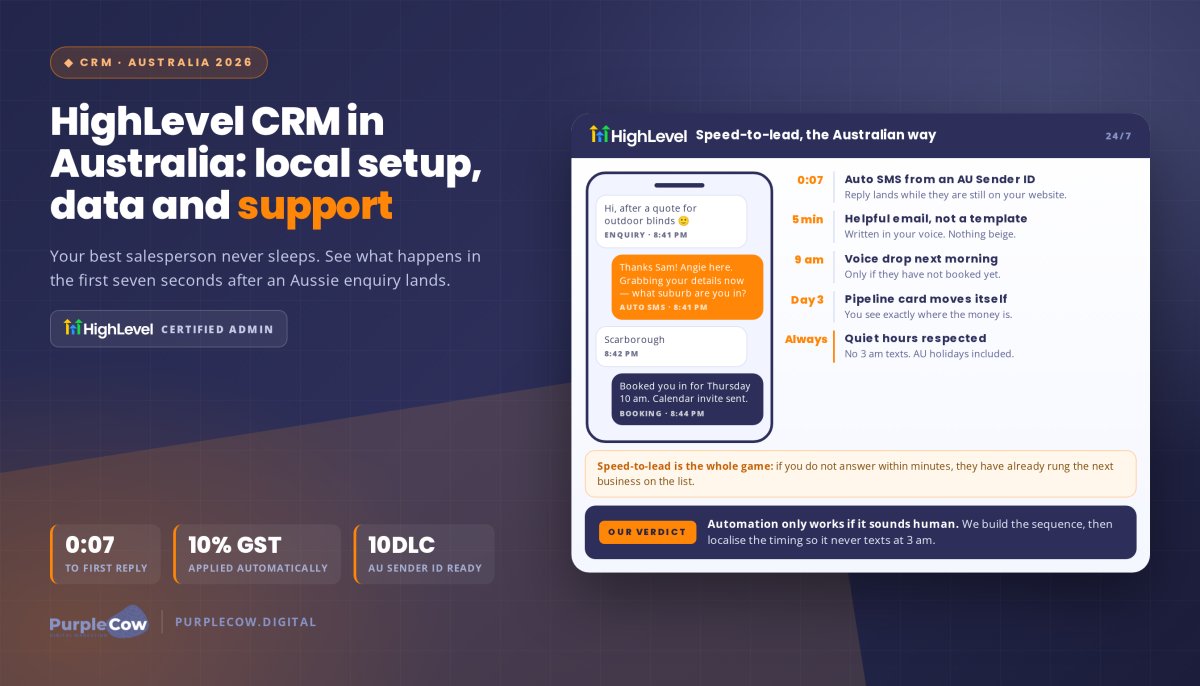
Connect your job status updates directly to automated review sequences. When a technician marks an invoice as “Paid” or “Completed” in your system, configure a sequence to send a friendly SMS two hours later. If no response arrives within 48 hours, trigger one warm follow-up email before ending the sequence.
Implementing targeted automated CRM workflows lets you personalise every outbound touchpoint using custom tags like the client’s first name, technician name, and specific service rendered. The system must immediately halt future nudges once the customer clicks through or submits their review, ensuring they never feel harassed.
Google Guidelines: Staying Compliant and Protected
Automation must always operate within platform regulations. Google’s Prohibited and Restricted Content Policy strictly forbids offering incentives of any kind, including discounts, credits, or prize entries, in exchange for customer reviews. Google Maps even prompts users directly about whether businesses offer rewards for ratings, penalising profiles that breach these rules.
Equally critical is avoiding “review gating,” which means screening customers beforehand and only redirecting happy clients to Google while funnelling unhappy customers into private forms. Regulators such as the ACCC actively penalise businesses that manipulate feedback authenticity. Keep your requests transparent, direct every client to the same link, and respond professionally to constructive criticism to demonstrate real accountability.
Executing an ethical, automated strategy is how to ask for a google review without being pushy while building durable local visibility. It protects your reputation, maintains steady social proof, and turns completed projects into long-term commercial assets.
Turn Satisfied Clients into Your Best Marketing Asset
Mastering how to ask for a google review without being pushy isn’t about awkward arm-twisting or feeling salesy. It’s about checking in at the peak moment of client satisfaction, eliminating friction with a direct link, and letting happy customers advocate for your business. When you replace manual chasing with thoughtful automation, consistent 5-star feedback becomes a natural byproduct of your daily operations.
At PurpleCow Digital, we partner with Australian SMEs to build sustainable search visibility. We combine proven search engine optimisation and review acquisition strategies with hands-off CRM builds that save valuable business hours. Our focus remains on transparent reporting that delivers real enquiries, phone calls, and booked jobs.
You’ve already put in the hard yards delivering outstanding service. Put these simple steps into practice today and give your business the online reputation it deserves.
Frequently Asked Questions
Can I offer a discount or gift card in exchange for a Google review?
No, offering any financial incentive, discount, gift card, or competition entry in exchange for a Google review strictly violates Google’s policies. Google classifies this practice as fake engagement and actively removes reviews or penalises non-compliant business profiles. Under Australian Consumer Law, the ACCC also investigates review manipulation. Keep your requests genuine by focusing on customer satisfaction and honest feedback rather than transactional rewards.
Is it against Google guidelines to ask clients for reviews directly?
No, asking clients directly is fully permitted and actively encouraged by Google. Google’s official policies allow businesses to invite customer feedback as long as you don’t offer incentives or filter out critical opinions. Knowing how to ask for a google review without being pushy means respecting the customer’s choice, providing a simple link, and never applying pressure if they choose not to participate.
How many follow-up reminders should I send before stopping?
Send no more than one polite follow-up reminder. A standard workflow involves an initial request sent shortly after completing the job, followed by a single gentle text or email 48 hours later if they forgot. If the customer doesn’t respond to that second touchpoint, stop there. Continuing to chase reviews annoys happy customers, damages goodwill, and borders on spam.
What should I do if a customer leaves a negative Google review?
Respond promptly, calmly, and professionally within 24 to 48 hours. BrightLocal data shows 89% of consumers expect owners to respond to online reviews. Acknowledge their experience, apologise for any genuine shortcomings, and provide a direct phone number or email address to resolve the matter offline. Prospective clients judge your business by how gracefully and constructively you handle criticism.
How do I create a direct Google review link for my business?
Log into the Google account managing your Google Business Profile and search for your business name on Google. Select the “Ask for reviews” button on your dashboard to display your dedicated review URL. Copy this shortlink directly and test it on your mobile device. You can paste this clean link straight into text messages, email templates, or generate a scannable QR code for physical invoices.
Can I set up a tablet at my counter for customers to leave reviews on-site?
No, setting up an in-store tablet or shared kiosk violates Google guidelines. When multiple reviews originate from the exact same physical IP address or device, Google’s automated spam detection filters kick in and remove those testimonials. Instead, provide a QR code that prompts customers to open the review form on their own smartphones using their personal mobile connections.
What happens if a customer does not have a Google or Gmail account?
Customers must sign in with a verified Google account to publish a review. While a Gmail address isn’t strictly mandatory, users can attach an existing email like Outlook or BigPond to a free Google profile, an active Google login is required to post. If a client prefers not to create one, learning how to ask for a google review without being pushy means thanking them anyway and accepting alternative feedback.

Article by
Angie Neal
Angie Neal is the founder and CEO of PurpleCow Digital, a full-service digital marketing agency based on Queensland's Redcliffe Peninsula. With deep expertise in SEO and web design, as well as a certification as a GoHighLevel Admin. Angie helps small-to-medium businesses build scalable growth systems through AI-powered automations, CRM workflows, and smart digital strategy. She's also passionate about building a community of like-minded agency owners at the After Party — sharing insights, solving real problems, and helping others grow. Whether it's search visibility, lead management, or end-to-end automation — Angie's focus is always on helping businesses scale sustainably.
Disclaimer
This page may contain affiliate links. If you sign up for software through our links, we may earn a commission at no extra cost to you. We only recommend tools we use and trust – software that is the backbone of our agency.