
What if your customers could understand your service before the first phone call? Using video to explain complex services can turn a process that feels technical or abstract into a clear sequence of steps, without expecting viewers to decode industry jargon.
You know your work inside out, but your customers may not know what happens after they enquire, what each stage involves, or how your service solves their problem. For example, a video for an Australian trade business could show the journey from an initial assessment to completed work, explaining each step in plain language and with helpful visuals.
A useful explainer is clear, not complicated. This guide will help you define your audience and key message, check whether the pacing and visuals make the explanation easy to follow, and use storytelling without letting creativity outrun accuracy. You’ll also learn to focus on the customer’s problem, explain what happens next, and give viewers a practical reason to act.
Key Takeaways
- Use animation, visual stories or metaphors to make abstract processes easier to follow, and remove details that distract from the main point.
- Shape the message around a specific audience and the problem they need solved; match the video’s length and level of detail to their needs.
- Review whether narration, visuals and pacing work together, then refine confusing moments and make the next step clear.
- Use creative storytelling to hold attention while keeping claims accurate, credible and aligned with the service you actually provide.
- Break a complex service into clear stages so viewers can understand how it works and why it matters to them.
What Makes a Technology Explainer Video Unique?
A technology explainer turns dense information into a sequence viewers can follow. Rather than presenting every feature at once, it arranges details around a clear process. For example, a software walkthrough could show the task, the relevant screen, and the result, leaving unrelated menus out of view.
Clear audio and visuals matter, too. Use a clean screen recording, zoom in on the button being discussed, and close unrelated windows. Keep narration easy to hear, with background music lower than the speaker. If a diagram has several arrows, reveal each connection in sequence so viewers can follow the relationships.
Animation can clarify systems that a camera can’t show. A moving diagram could trace data between software platforms, while a short sequence could show how a request moves through a service. Use motion to highlight one important change at a time, rather than adding movement to every frame.
Visual stories and metaphors give unfamiliar concepts a familiar shape. For instance, describe a cloud backup system as a digital filing cabinet to introduce storage and retrieval. Then explain the actual process and where the comparison has limits. A metaphor should clarify the service, not replace accurate information about how it works.
For accessibility, provide accurate captions and make on-screen text readable against its background. Captions should reflect the narration, and colour shouldn’t be the only way to communicate an important distinction. The accessibility needs of an Australian business video depend on its audience and context, so consider them during production.
What does an explainer video cost in Australia? Production costs depend on the project’s scope, including script development, duration, animation detail, voiceover, and revisions. A quote reflects the production choices and work involved, rather than one price that applies to every video.
Measure effectiveness against the action the video should support. Track relevant views, completion, clicks and enquiries, then compare those results with production and distribution costs to assess ROI. Placing a video within a digital marketing strategy can help you evaluate it alongside the page or campaign it supports.
Animation is especially useful when a subject is abstract, technical, sensitive, or difficult to capture on camera. It can visualise systems, processes, and data, answer common customer questions, or make an intangible idea tangible. Animated steps can present concepts in sequence, helping reduce the cognitive load of static visuals, while carefully timed motion guides attention to key details.
Identifying the service’s audience, problem and key message
When using video to explain complex services, start with a specific viewer, not a list of everything your business does. Define the audience by their role, situation, and familiarity with the service. For example, a video for property managers may explain how a maintenance request moves through a business, while one for technicians can focus on system requirements and handover steps.
Identify the problem that brings this audience to your service. Ask what they need to understand before acting, what currently causes confusion, and what decision they face. A building owner considering an energy audit may need to know what the assessment covers, what information they’ll provide, and how the findings guide next steps.
Choose one key message that answers the audience’s need. If viewers remember only one point, it might be that an audit shows where energy use can be reduced. Supporting details should help explain that idea clearly. Keep technical terms when a specialist audience expects them, but explain unfamiliar language before using it again.
Match the detail to viewers’ technical knowledge. A video for software developers can explain an integration step; one for business owners should show how that step changes their workflow. Ask sales and support staff which questions come up repeatedly and where customers get stuck. Their conversations can reveal useful details an internal team might overlook.
Length depends on the audience, platform and purpose. A social video designed to deliver one main message can run for up to 90 seconds. Technology explainers are generally most effective under two minutes, while detailed videos for familiar audiences can run for 2-3 minutes. Keep each segment relevant to the intended viewer.
Research the audience before using video to explain complex services, so the script stays focused. Outline the viewer’s problem, the service’s response, how it works, its benefits, and the next step. Write short, conversational lines, then read them aloud. For example, a bookkeeping service could move from a records problem to its workflow and the clearer records clients receive.
Collaborative discovery grounds the message in real audience needs. Bring together a subject specialist and someone who regularly speaks with customers, then ask both to review the draft for accuracy and clarity. A new customer may need more context, while a niche audience may prefer a precise process diagram. Their feedback helps shape an explanation for the right viewers.
Reviewing video clarity, pacing and calls to action
A polished video can still lose viewers if its message is hard to follow. Review the draft from the audience’s perspective: can someone explain the service’s main benefit after one viewing? For an Australian plumbing business, that might mean understanding what an inspection covers and what to do next, without replaying the explanation.
Check clarity one scene at a time. Match each spoken sentence to the visual on screen, then remove anything that competes with it. If a diagram introduces several connections at once, reveal them in sequence. Play the draft without sound, too; viewers should still grasp the main progression from its labels and imagery.
Pacing is about comprehension, not just speed. Watch for rushed transitions, long pauses, and scenes that linger on an idea after it’s clear. Leave viewers enough time to read labels and understand new concepts. One useful review step is to pause after each major point and ask what the viewer should now understand.
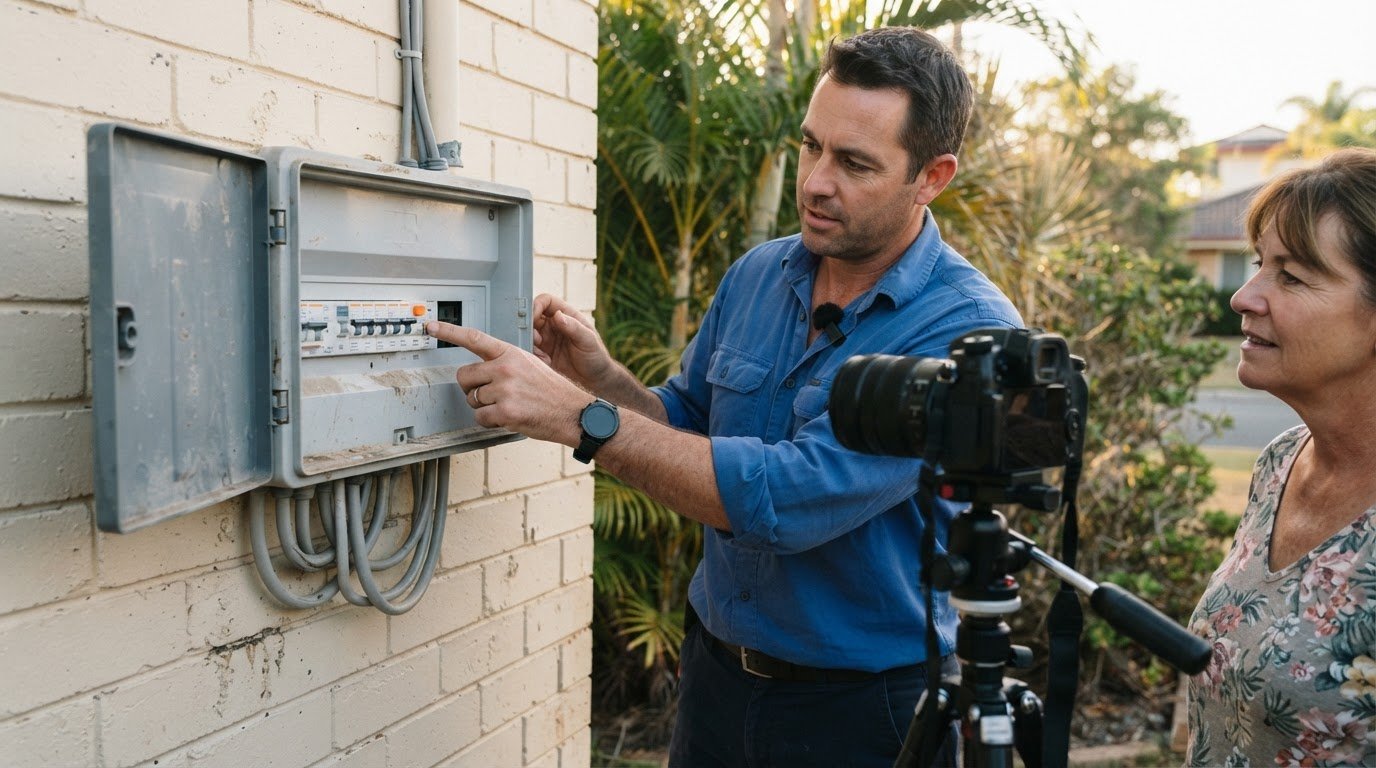
Choose animation when the subject is abstract, hidden, or difficult to film. A moving illustration can show how information travels through a system or how a process changes over time. Live action suits stories that depend on real people, products, or locations, such as a technician explaining an installation at a customer’s property. A hybrid can use footage for context and animation to clarify what the camera can’t show.
Make the call to action the logical next step, not a sudden sales pitch. If the video explains a booking process, close with a clear invitation to enquire or view the relevant service details. Keep the wording specific, and make sure the destination matches the promise. “See what the assessment includes” gives more direction than a vague “learn more”.
Test the draft with someone unfamiliar with the subject. Ask them to identify the main message and next step, and point out anything confusing. Their response can reveal unexplained jargon or a visual that conflicts with the narration. Then revise the script or scene, rather than automatically adding more detail.
For a final quality check, review the video on a phone and a computer. Confirm captions, labels, and key visuals remain readable on both. If viewers can follow the story, understand the key point, and recognise the next action, the video is doing its job.
Balancing creative storytelling with accuracy and credibility
A creative concept should help viewers understand the service, not distract from it. Start with one central idea, such as a journey, map, or familiar comparison. For example, a sequence of gates could represent the approval stages in a complex business process. Keep the metaphor tied to the real steps, so engaging motion doesn’t imply a promise the service can’t make.
Build accuracy into the concept from the first script draft. Ask a subject specialist to check every claim, process step, and visual before production. If an animation shows information moving between systems, confirm that the sequence reflects the actual workflow. Replace vague claims such as “instant” with a precise description of what happens, when it happens, and what the viewer needs to do.
Storytelling can also give difficult or sensitive subjects useful context. Yorkshire Water commissioned animated explainer videos about why directors receive high salaries and why dry spills can happen during winter. These topics show how a clear narrative can make an unfamiliar issue easier to approach. The creative framing should still preserve the facts and avoid simplifying away important qualifications.
For a video series, give each episode one purpose and a consistent visual identity. A service provider might create one video explaining the initial assessment, another showing the delivery process, and a third covering ongoing support. Use the same colours, terminology, and motion style across all three, while making each episode understandable on its own.
Plan the series around the questions viewers ask at different stages. A prospective customer may need an overview first; an existing customer may need a detailed guide to a particular step. Give each video a clear title and opening context, so viewers know whether it addresses their question.
Credibility also depends on keeping videos current. When a service changes, review the script, process diagrams, and calls to action against the new delivery steps. For example, if an Australian trade business changes how customers submit site details, update that scene before sharing the video again. Keep the visual style if it still fits, but don’t leave outdated instructions in place.
Before publication, review the finished video with a specialist and someone unfamiliar with the subject. The specialist can catch inaccuracies; the viewer can identify confusing concepts. If they interpret a scene differently, revise the wording or motion until the intended meaning is clear. This final check keeps creative storytelling engaging without sacrificing trust.
Explaining complex services and processes
Video can make a complex service easier to understand by showing what customers encounter at each stage. A commercial insurance broker, for example, could show how a business prepares information, receives policy options, and reviews cover with an adviser. That visual journey helps viewers understand what’s involved before they begin.
For businesses, using video to explain complex services means clarifying the hand-offs as well as the headline benefit. A managed IT provider could show how a staff member reports a fault, how the issue is assigned, and how the customer receives an update. Highlighting those transitions helps set expectations and shows who does what.
Map the process from the customer’s point of view before writing the script. Mark where they make a decision, provide information, or wait for an outcome. For an accounting service, a visual timeline could distinguish documents supplied by the customer from checks completed by the accountant. That separation makes responsibilities easier to understand.
Show choices where they affect the customer’s experience. A recruitment service might illustrate how a business selects role requirements, reviews a shortlist, and decides whom to interview. Use labels or branching paths to clarify the options, while keeping the explanation focused on decisions that matter to the viewer.
Using video to explain complex services can also make a repeatable process easier to share across a team. A workplace safety consultant could use a narrated walkthrough to explain how staff report a hazard and who receives the report. The video gives employees a common reference, while written procedures can cover details that need close attention.
Separate essential steps from exceptions. If a finance consultant’s usual onboarding includes a discovery meeting, document collection, and a review, present those stages first. Address unusual situations in a separate resource rather than interrupting the main explanation. This keeps the primary journey clear without hiding that individual circumstances may require different steps.
Finish by making the next action specific to the viewer’s stage. Someone exploring a service may need to read eligibility details; an existing customer may need to prepare documents for a meeting. For example, show a checklist of records to gather before an accountant’s review. Make every step, hand-off, and customer responsibility visible.
PurpleCow Digital
PurpleCow Digital can help connect a clear service explanation with the digital experience around it. A video works best as part of a customer journey: people need to find it, understand the service, and know what to do next. We can help you plan how your website and marketing support that journey, rather than treating video as a standalone fix.
If viewers need to understand a process before enquiring, consider where the explanation belongs on your site. A video about a trade service might sit beside the relevant service details, helping visitors understand what happens after they make an enquiry. Our Website Design work can support how information is organised and presented across your website.
Search Engine Optimisation can help make relevant service pages easier to find through search. That matters when potential customers want an explanation before choosing their next step. The video and page should answer the same question, use consistent language, and make the service’s value clear. Search optimisation supports discoverability, but it doesn’t guarantee a particular ranking or result.
Already have a video on your website? Website Maintenance helps keep your site and its pages maintained as your business changes. If a process, service detail, or customer pathway changes, the page may need updating, too. Keeping the surrounding information current helps prevent a video from directing viewers to outdated instructions.
Meta Ads may suit a video designed to introduce a service to a selected audience. For example, an Australian home-services business could promote an explainer about its booking process to people in its intended market. The message, audience, and next step should work together, and campaign performance should be reviewed against the business’s goals.
We’re a useful next step when you know customers struggle to understand your service, but aren’t sure how video should fit into your website or wider marketing. We can help you consider how Website Design, Search Engine Optimisation, Website Maintenance, or Meta Ads could support that customer journey. The right choice depends on whether you need clearer information, better discoverability, an up-to-date site, or promotion.
If you’d like to talk through how a clearer digital experience could support your service, get in touch with PurpleCow Digital.
Frequently Asked Questions
What types of video work best for explaining complex services?
The right format depends on what viewers need to understand. Animation can illustrate an invisible system, while a screencast can demonstrate an actual software task, such as finding an invoice or submitting a form. Live action can introduce the people behind a service, and a hybrid format can combine a real presenter with animated diagrams. For a process with several stages, consider a short video series instead of one crowded overview.
How long should a service explainer video be?
There’s no single duration that suits every service explainer. Rather than treating 90 seconds, under two minutes or 2-3 minutes as fixed rules, let the subject and viewing context guide the length. Cover what viewers need to understand, then remove details that don’t help explain the process. If the explanation needs more time, separate distinct topics into individual videos so viewers can choose what they need.
How to choose between animated, live-action and screencast explainer videos?
Choose animation for a process that can’t be filmed clearly, such as information moving between digital systems. Choose live action when people, equipment, or a real location help explain the service. Use a screencast to demonstrate a software task, such as changing an account setting. A hybrid can combine a presenter’s explanation with a screen recording, helping viewers connect the person, process, and interface.
What risks or common mistakes should businesses avoid when making explainer videos?
Avoid packing every service detail into one video, presenting an analogy as a literal description, or showing a software screen that no longer matches the current interface. Don’t let background music compete with narration or make claims the service can’t substantiate. Before publishing, ask a subject specialist to review the steps and a new viewer to explain what they understood. Revisit the video whenever the service or process changes.

Article by
Angie Neal
Angie Neal is the founder and CEO of PurpleCow Digital, a full-service digital marketing agency based on Queensland's Redcliffe Peninsula. With deep expertise in SEO and web design, as well as a certification as a GoHighLevel Admin. Angie helps small-to-medium businesses build scalable growth systems through AI-powered automations, CRM workflows, and smart digital strategy. She's also passionate about building a community of like-minded agency owners at the After Party — sharing insights, solving real problems, and helping others grow. Whether it's search visibility, lead management, or end-to-end automation — Angie's focus is always on helping businesses scale sustainably.
Disclaimer
This page may contain affiliate links. If you sign up for software through our links, we may earn a commission at no extra cost to you. We only recommend tools we use and trust – software that is the backbone of our agency.